01
Set your current task
A short reminder of what you're working on. One line is enough — "Finish the deck" or "Reply to Sarah."
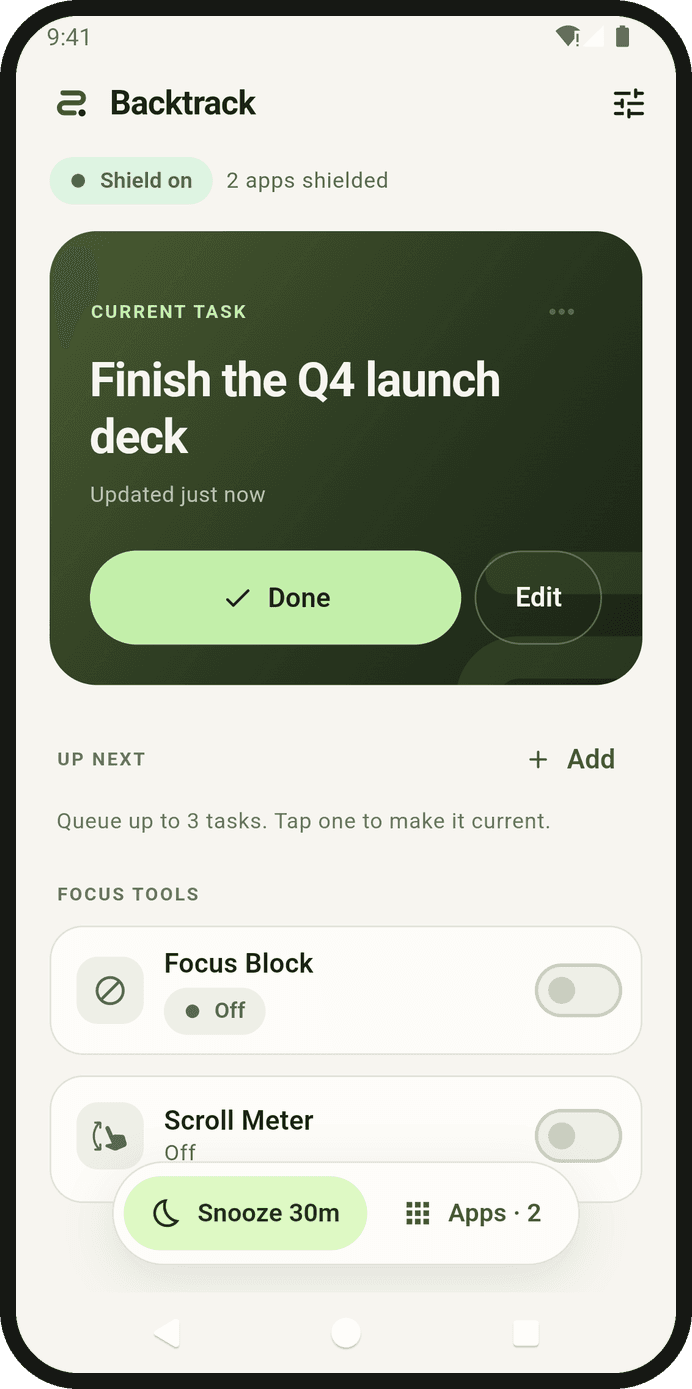
Backtrack shows your current task the moment you open a distracting app. Start with a 2-second reminder, then add Focus Block or Scroll Meter when you want more control.
How it works
Backtrack starts as a reminder, not a lockout. It interrupts the autopilot moment — the second before you scroll — and only blocks if you turn Focus Block on.
A short reminder of what you're working on. One line is enough — "Finish the deck" or "Reply to Sarah."
Choose which apps should trigger the shield. Instagram, TikTok, Reddit — you decide what pulls you away.
When you open a selected app, your task appears for ~2 seconds. Enough to notice. Not enough to fight.
In the moment
You reach for a distracting app out of habit. Before the feed loads, your task fills the screen. Two seconds. Then you choose — stay or drift — with your eyes open.
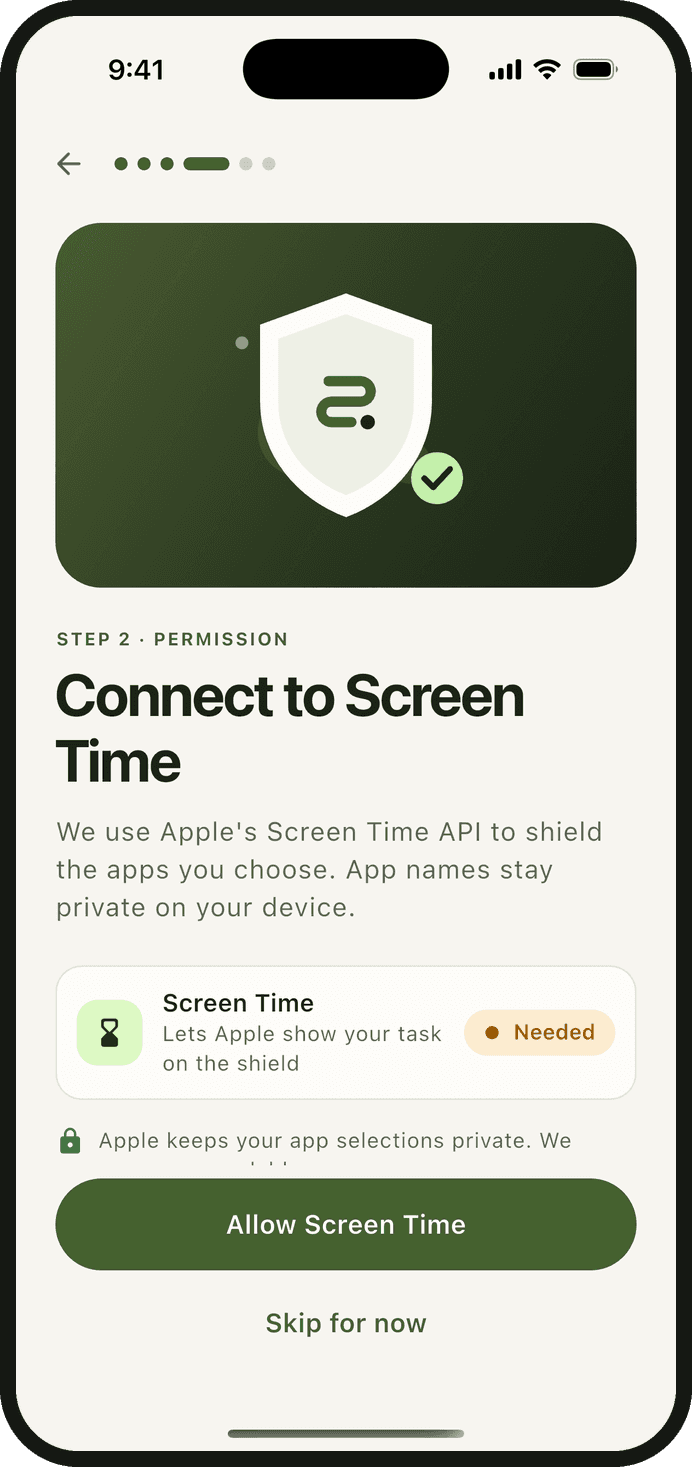
iOS Screen Time
Uses Apple's native Screen Time shield with your task text. App selections stay private on your device.
Features
Start with a gentle nudge. Turn on Focus Block or Scroll Meter only when you want more control.
Your current task lives on the home screen and in widgets, with an Up Next queue of three. Edit in one tap when priorities shift.
Optional full-screen stop on your distraction apps until you go back, open Backtrack or snooze. Off by default.
Optional doomscroll tracker: estimated swipes, time in your tracked apps, a daily goal and a 7-day trend. Counts stay on your device.
Privacy
Backtrack needs system permissions to know when you open a selected app. That's it. The scope is narrow by design.
Task text and settings are stored locally. We don't build profiles from your behavior.
On Android we read the foreground app name only — never keystrokes, messages, or screen content. On iOS, Apple keeps your app selections private.
No ads. No data brokers. Revenue comes from optional Pro subscriptions — not from watching what you do.
Pricing
The core shield is free forever. Pro unlocks when you're ready to protect more apps and fine-tune the nudge.
Free
$0
Everything you need to try the habit.
Pro
Popular$4.99/mo
Or $39.99/year: save about 33% with annual billing.
| Feature | Free | Pro |
|---|---|---|
| Shielded apps | Up to 3 | Unlimited |
| Blink duration | 2 seconds | Customizable |
| Android coverage | Selected apps | System-wide |
| Core shield | Included | Included |
| Snooze breaks | Included | Included |
FAQ
Similar lane, different feel. By default we show your task for ~2 seconds when you open a distracting app — a nudge, not a hard lock. If you want a harder stop, turn on Focus Block, a full-screen stop until you go back, open Backtrack or snooze. Scroll Meter adds an estimate of your daily swipes on Android.
Set one task. Pick your apps. Let the shield do the rest — quietly, for two seconds at a time.
Free to start · Pro optional · Cancel anytime